Basic Pitch
Free · quick monophonic pass
Good for vocals, bass, and clear single-note parts. Pitch bends and dense material need editing.
 Local MIDI
Audio to MIDI converter
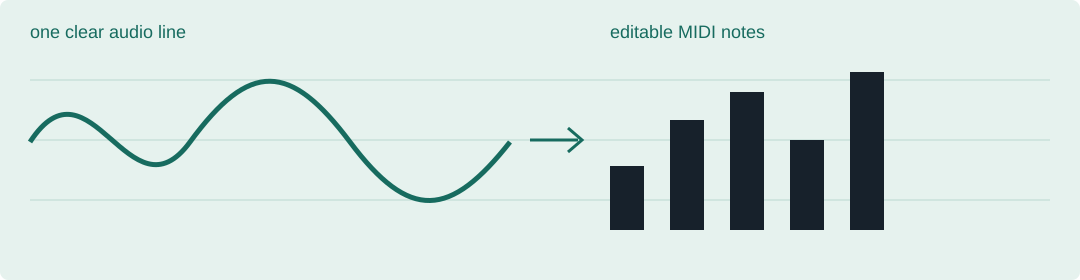
For a single melody, start free with Basic Pitch. For a guided paid workflow, try NoteGrabber. For serious editing, Melodyne is the safer choice. Chords and full mixes still need the most manual cleanup.
Your audio never leaves your device. No account or upload.
The short list
Free · quick monophonic pass
Good for vocals, bass, and clear single-note parts. Pitch bends and dense material need editing.
Free · melodic ideas
Useful for a fast guitar or melody sketch. Bends and overlapping notes may need cleanup.
Paid · guided workflow
A directed process for prepared material, not a one-click answer for full mixes.
Paid/trial · detailed work
Useful when you are willing to inspect and refine, especially with chords and drums.
Paid/trial · deepest editing
The choice when correction quality matters more than speed. Complex polyphony still needs care.
Want free? Start with Basic Pitch. Want less setup? Try NoteGrabber. Want precise correction? Use Melodyne. For a full mix, split the parts first—the input matters more than the brand.
Where pitch detection goes wrong
A limited pitch detector rarely fails by producing nothing. When the audio sits outside the range it searches, or moves too far between neighbouring notes, it still writes note events — just the wrong ones. The three signatures below were measured on this machine by running the converter's own note detector over synthetic test tones. These are readings, not estimates.
| Input condition | Measured output | How to spot it in your DAW | How to reproduce it |
|---|---|---|---|
| Pure 40 Hz sine — below the 55 Hz search floor | Not discarded. One note: MIDI 89 (≈1397 Hz), 1.974 s long. | A part that should sit low arrives as a single long note near the top of the keyboard. | Make a 2-second mono WAV at 44100 Hz: pure sine, 40 Hz, amplitude 0.3, no harmonics and no envelope. Convert it here, then read the note count in the status line and the note's pitch in your DAW. |
| Pure 1550 Hz sine — above the 1400 Hz search ceiling | Not discarded. One note: MIDI 79 (about 774 Hz, roughly an octave low), 1.974 s long. | The note lands about twelve semitones below the pitch you fed in. | Same file settings, but 1550 Hz. Convert it here, then compare the exported note with the pitch you started from. |
| 440 Hz sine with ±150-cent vibrato at 6 Hz | Split. 23 notes instead of one, alternating between MIDI 68 and 70, each about 0.075–0.093 s. The same file at the highest sensitivity setting: 0 notes. | One sustained note becomes a run of equal-length fragments stepping between two neighbouring pitches. | Generate the same 2-second WAV with a 440 Hz carrier and ±150 cents of vibrato at 6 Hz, then convert it and count the notes. To test the highest sensitivity setting, use the converter on the home page, which exposes all three settings. |
Test conditions. Every reading above comes from synthetic pure sine tones — 44100 Hz, mono, 2 seconds, no harmonics, no noise. Real instruments and voices carry harmonics and noise, so a detector may lock onto a harmonic instead of drifting the way a pure tone does. Do not read these three rows as "real bass lines always convert wrong".
Why it happens. The signatures above are measured; this explanation is inferred from the converter's own settings, not from a step-by-step trace. The detector searches for pitch between 55 Hz and 1400 Hz. A 40 Hz tone repeats roughly every 1102 samples at 44100 Hz — longer than the longest lag the search reaches — so no true period is available inside the window and the estimate settles near its upper edge (raw ≈1423 Hz, exported as MIDI 89). A 1550 Hz tone repeats every ~29 samples, shorter than the shortest lag the search reaches, so the estimate lands near twice the period (raw ≈774 Hz, exported as MIDI 79). And because frames differing by more than one semitone are never merged into the same note, a ±150-cent wobble keeps opening a new note; at the highest sensitivity setting the minimum note length is long enough that every fragment is dropped instead.
How to avoid them.
FAQ
No. Isolate one part for a usable first pass.
Single-note lines need spot checks; chords, bends, and noise need substantially more editing.