
Audio to MIDI · sound reconstruction
Can MIDI recreate a synth sound from a song?
No—not from the MIDI notes alone. Audio-to-MIDI estimates events such as pitch and timing. The synth tone comes from a separate instrument, preset, sample, and effects chain. To get close to the original, recover or recreate that sound separately, then play the MIDI through it.
If you need the exact sound and already have the original project or preset, use that source. If all you have is a finished mix, expect sound design and listening—not a one-click MIDI conversion—to be the missing step.
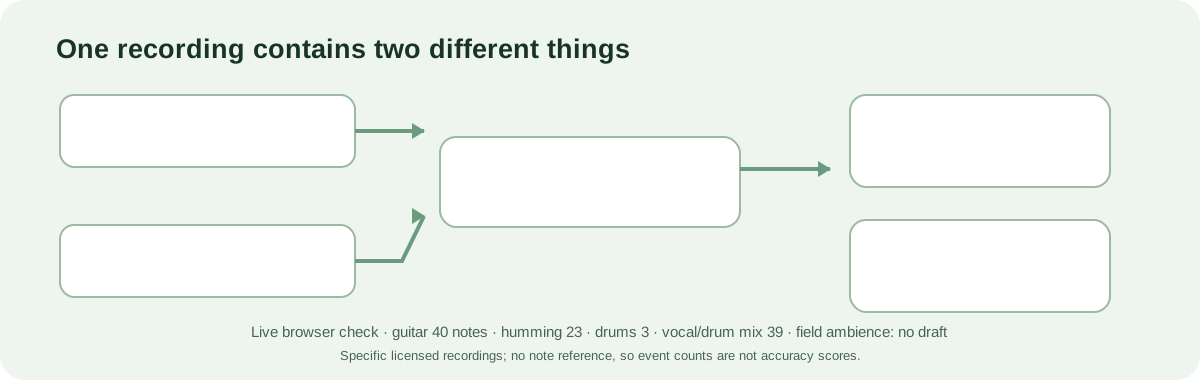
What survives conversion
A MIDI file is a performance recipe, not a copy of the patch.
A typical audio-to-MIDI result is a best-effort transcription of note starts, note ends, pitches, and sometimes velocities or expressive controls. It does not contain the recorded waveform. Even a correct sequence of notes will sound different when played by a different synth or piano patch.
| Part of the recording | What MIDI conversion may provide | What you need for the original character |
|---|---|---|
| Pitch and note timing | Estimated note-on and note-off events to inspect in a piano roll. | Correct errors against the audio; conversion can miss, add, split, or shift notes. |
| Synth patch or sample | Usually no patch definition or source sample is recovered from the note events. | The original preset, instrument, sample bank, or a sound you recreate yourself. |
| Filter, envelope, modulation, effects | Some MIDI controllers or pitch bends may be represented if detected and supported. | The synth settings and effects chain; note events alone do not reproduce these audio processes. |
| Stereo placement and mix | Usually not the original audio image or mix balance. | The original session or separate audio stems; MIDI is not a stereo render. |
The MIDI 1.0 message set includes note events, program changes, controllers, and pitch bend. A program change can select a sound already available on a receiving instrument; it does not package an arbitrary synthesizer patch and its samples into a portable audio copy. Vendor-specific sound dumps are a separate, device-dependent case.
A practical reconstruction path
Separate the note problem from the sound problem.
- Find the cleanest source. Use the original DAW session or an isolated stem if available. A dense mix makes both note extraction and sound identification harder.
- Transcribe only the part you need. Convert a short phrase with the Local MIDI tool, then compare the notes with the source. Fix missing notes, false notes, octave mistakes, and timing before judging the new instrument.
- Look for the original patch. Check the project, preset name, plugin, sample library, and effects chain. A recovered patch is the most direct route to the original timbre.
- If the patch is gone, rebuild by ear. Match the broad source first—synth, pluck, pad, or bass—then adjust oscillator or sample, filter, envelope, modulation, and effects. The MIDI supplies the notes while you audition the tone.
- Use resampling only when audio is acceptable. A short isolated note can be mapped in a sampler, but loops, modulation, note transitions, and chords may not behave like the original synth across a keyboard.
If your goal is to hear the same recording again, keep and arrange the audio. If your goal is to change the melody or trigger a different instrument, MIDI is useful—but it is not a sound-recovery format.
Observed in the browser tool
Five supplied recordings produced five different first-pass outcomes.
On October 26, 2026, five openly licensed Internet Archive recordings were tested through the live Local MIDI converter in Chrome at the default “Balanced” sensitivity. Each original MP3 was decoded to 44.1 kHz stereo PCM and the opening excerpt was saved as WAV before selection: 15 seconds for four recordings and 3.553 seconds for the short drum loop. The timer runs from clicking Convert to the page's final result message in this browser session; these are not device-independent speed benchmarks.
| Source excerpt | What the page returned | Click to result | Accuracy measures |
|---|---|---|---|
| Solo guitar · 15 s | MIDI draft with 40 note events | 797 ms | Not scored: no note-level reference |
| Solo humming · 15 s | MIDI draft with 23 note events | 429 ms | Not scored: no note-level reference |
| Drum loop · 3.553 s | MIDI draft with 3 note events | 209 ms | Not scored: no note-level reference |
| Vocal-and-drum mix · 15 s | MIDI draft with 39 note events | 1,854 ms | Not scored: no note-level reference |
| Stratton field recording · 15 s | No clear notes detected; no MIDI draft | 136 ms | Not scored: no note-level reference |
What this test does not measure: these five runs measure note-event output only. They do not test whether a converter can recreate a synth patch, sample, filter, envelope, effects chain, or the original tone. There is no independent tone-recovery reference in these recordings, so that part is not measured here.
Sources and licenses: MHMonk Solo Guitar November 2000 (CC BY-SA 4.0); Humming girl (CC0 1.0; archive description: “girl hums tune”); Drum test loop MAX (CC BY 2.5); Happy Birthday Rap (Stems) ft Donnie Ozone (CC BY-SA 3.0; full mix); and Stratton, Vermont field recording (Public Domain Mark 1.0). No source audio is redistributed on this page.
Important limit: the source descriptions identify the recordings, but none came with an independent note-by-note reference for these excerpts. Event counts are only what the converter emitted; they do not tell us how many notes were missed, added, placed in the wrong octave, or shifted in time. The Stratton file is environmental field audio rather than a live music performance. These five runs document specific inputs and outputs, not a universal accuracy claim.
One concrete boundary: the 3.553-second drum loop produced only three note events in this run. For drum material, that output is not a usable drum transcription; a dedicated drum-transcription workflow is the better route than treating this monophonic note detector as a way to split a kit.
Try a short passage in the Local MIDI converter; keep the original audio beside its MIDI and verify the notes before using them to rebuild a sound.
Choose the right output
Decide whether you need editable notes or the sound itself.
- Change notes or play another instrument: convert to MIDI and edit the events.
- Keep the exact synth tone: locate the original patch or retain the audio/stem.
- Recreate a similar tone: use MIDI as the note source and build a new patch by ear.
- Extract a synth from a finished song: source separation may help expose a part, but it does not reveal a guaranteed original preset or settings.
This page describes the file-format distinction and a workflow; no synth-identification or patch-recovery benchmark was run. The result of rebuilding a tone depends on the source, available instruments, and how closely you need to match it. Try the Local MIDI converter on a short melodic passage, then use the original audio as your reference while you rebuild the instrument sound.
Reference: MIDI 1.0 Detailed Specification describes channel messages including Note On/Off, Program Change, Control Change, and Pitch Bend. They communicate performance and control data; the receiving sound generator produces the audio.
FAQ
MIDI and synth sound questions
Does audio-to-MIDI extract the synth preset?
Usually no. A converter estimates note events from audio. It does not generally identify and export the source synthesizer's complete patch, samples, and effects settings.
Can a MIDI program-change event restore my sound?
It may select a program already available on the receiving instrument. It does not guarantee the same patch exists there or transfer an arbitrary synth preset.
How can I keep the original sound while changing notes?
Use the original DAW project or a suitable audio stem if possible. If only MIDI and a finished recording remain, you will need to approximate the tone separately and audition the result.