
Polyphonic audio to MIDI workflow
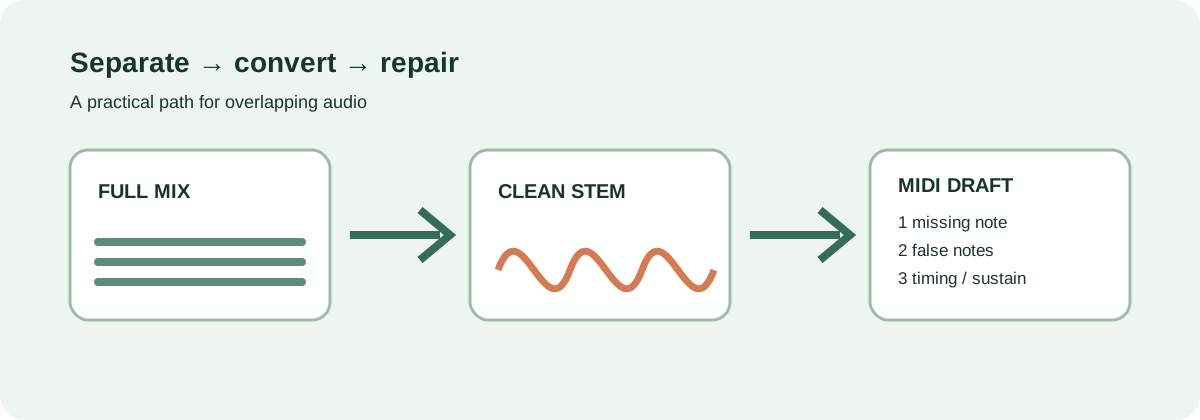
For chords and full mixes: separate first, convert second, repair four things.
A clean melody can go straight to a converter. Overlapping instruments should be isolated into a stem first; the exported MIDI is a draft until you check missing notes, false notes, timing, and split sustains.
The decision
Pick the workflow that matches the input
Clean melody
Use Local MIDI, Basic Pitch, or a similar single-instrument workflow. Listen for octave jumps and missed attacks before arranging.
Chords or one instrument
Try a polyphonic-capable tool on a short, exposed passage. Keep the result only after the four checks below.
Full mix
Separate the stem you want first. Bass, drums, vocals, and chords competing at once make a one-click MIDI promise unreliable.
What the tools actually expose
Compare the output you can inspect—not an invented accuracy score
| Workflow | Single-note material | Chords / full mix | What to inspect after export |
|---|---|---|---|
| Jukeblocks | Designed for isolated instruments and vocals. | Its Recreate workflow can split bass, chords, and melody, but dense mixes still need editing. | Check stem bleed, extra attacks, and timing. |
| AI-MIDI | Exposes pitch, dynamics, and sustain controls. | Multi is presented as a beta/paid path; do not treat a preview as a finished transcription. | Check sustain boundaries, false notes, and note lengths. |
| Basic Pitch | Strongest fit is one instrument; it detects pitch bends. | It is not a full-mix stem separator, so separate overlapping parts before relying on it. | Check bends, octave choices, and missing notes. |
These are workflow descriptions, not a controlled accuracy ranking. The useful comparison is the same source passage, the same export, and the same four checks.
Four checks
Turn a MIDI draft into a usable edit
- Missing notes: compare attacks against the source, especially quiet inner voices.
- False notes: remove bleed, harmonics, and separation artifacts that became note events.
- Timing: listen for late attacks and drift instead of quantizing everything blindly.
- Split sustains: join notes that should ring and shorten notes that smear into the next chord.
Low fundamentals, high partials, vibrato, slides, and dense overlaps are hard boundaries for every workflow. This site does not claim a universal accuracy percentage; judge the repair work on your own material.
A repeatable pass
Save the source, the draft, and the repair decision
Export a short passage, keep the original audio beside the MIDI editor, and note which of the four checks caused the most work. That correction workload—not a marketing number—is the basis for choosing your next tool.
Try the local browser converter for a clean melody