1. Keep the source visible
Place the audio and exported MIDI together in your DAW. Listen once before editing.
 Local MIDI
Audio to MIDI comparison · updated October 2026
Free tools are a sensible first pass for one clear melody. Chords and dense mixes are a different job: expect to inspect missing notes, false notes, timing, and note lengths after export.
Single-note line: start with Basic Pitch or Local MIDI. Chords: use a workflow built for deeper inspection, such as Melodyne or Prism. Full mix: separate parts first. No option turns a dense polyphonic recording into a finished arrangement without cleanup.
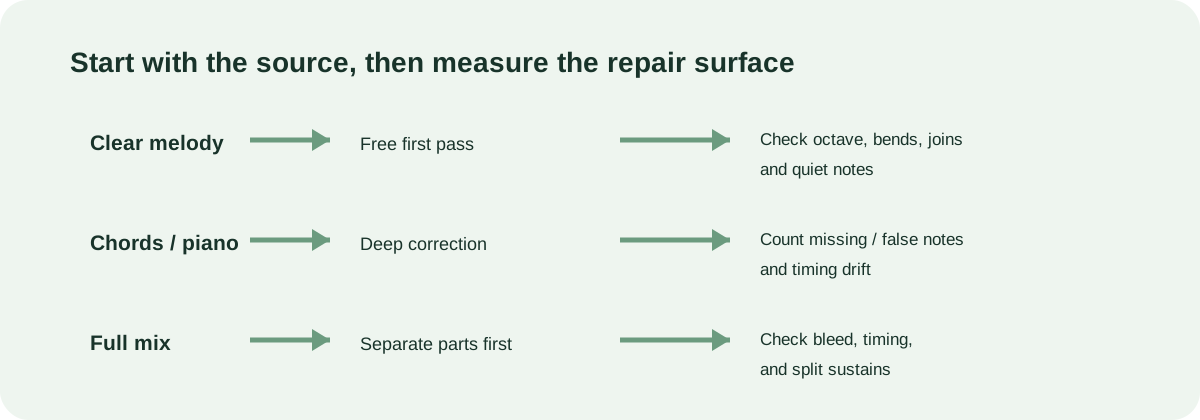
What the current options are for
| Workflow | Best starting material | Manual work to budget |
|---|---|---|
| Local MIDI / Basic Pitch | One isolated vocal, bass, lead, or other melodic line | Check octave, bends, quiet notes, note joins, and split sustains. |
| Neural Note | A quick melodic sketch when you want a free option | Inspect pitch bends and overlapping notes; remove events that do not belong. |
| NoteGrabber | Prepared material where a guided process is useful | Follow the process, then verify note starts and pitches in the passage that matters. |
| Melodyne / Prism | Chords, piano, drums, or other polyphonic material | Compare missing and false notes, timing, chord spelling, and sustained-note joins. |
A repeatable check
Place the audio and exported MIDI together in your DAW. Listen once before editing.
Mark missing notes, false notes, timing drift, and split sustains. Do not turn one passage into a universal accuracy score.
Use a free first pass for a melody; move to deeper correction when the repair surface is polyphonic or dense.
Why this page is dated. Public discussions keep pointing to the same practical gap: many results are old, and users still need to hand-edit dense polyphonic output. This comparison records the workflow decision and the repair checks, not a made-up accuracy ranking.